Configuration
The voweldocs configuration modal allows end users to enter their own vowel credentials to enable voice-powered navigation on your documentation site.
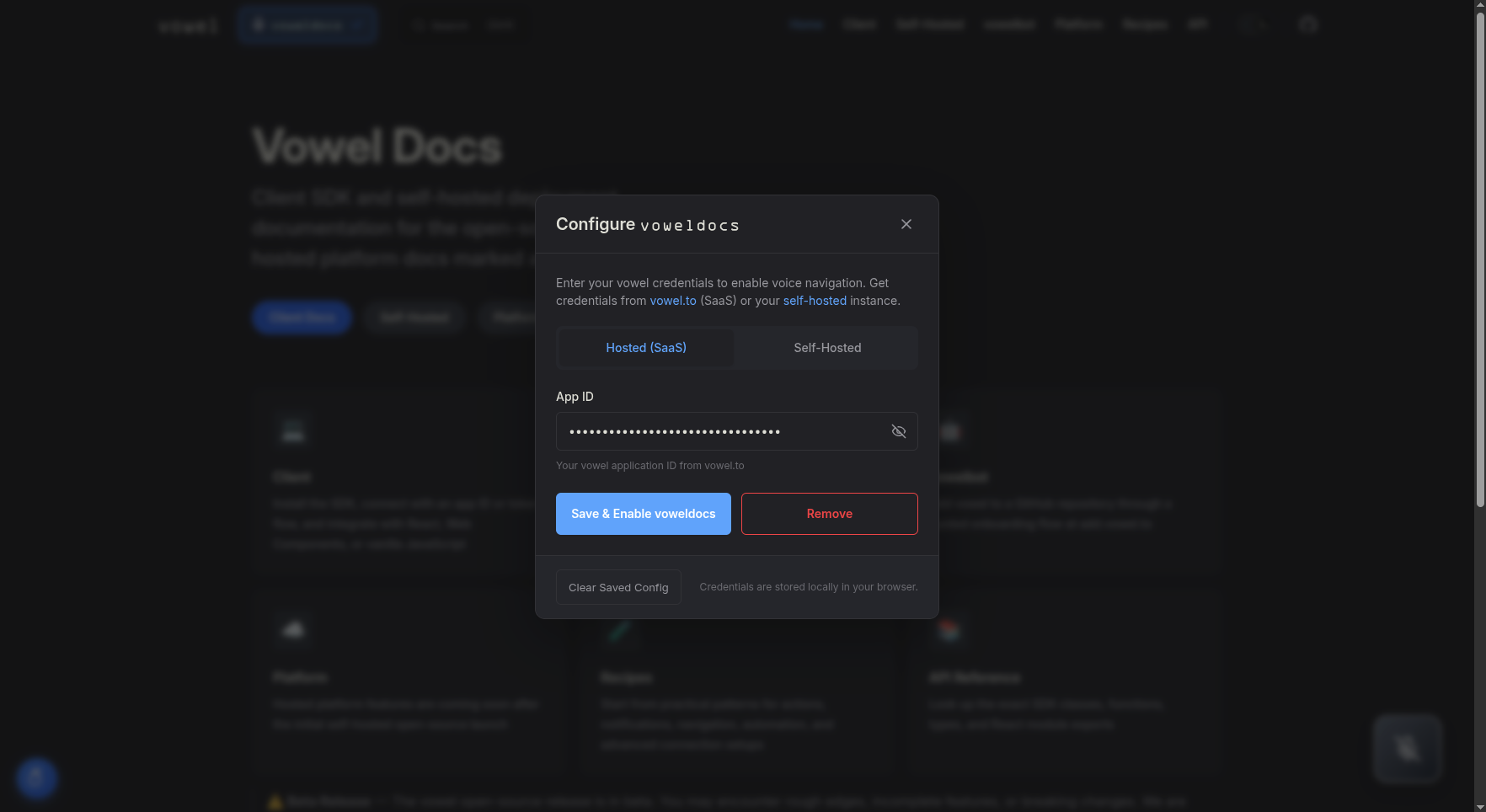
Two Configuration Modes
Pre-configured Mode (No User Input Required)
If you provide credentials via environment variables at build time, the voice agent initializes automatically. Users can start speaking immediately without any configuration - the "voweldocs" button simply opens/closes the voice interface.
Environment variables for pre-configuration:
VITE_VOWEL_APP_ID+VITE_VOWEL_URL(Hosted or Self-Hosted Manual)VITE_VOWEL_JWT_TOKEN+VITE_VOWEL_USE_JWT=true(Self-Hosted JWT)
This is ideal for:
- SaaS documentation where you want zero-friction voice access
- Internal documentation with a shared self-hosted instance
- Any site where you want to provide voice out-of-the-box
User-Configured Mode (Bring Your Own Credentials)
If no credentials are pre-configured via environment variables, clicking the "voweldocs" button opens the configuration modal where users enter their own credentials:
Hosted Mode
For users connecting to the hosted vowel.to platform:
- Sign up at vowel.to and create an app in the dashboard
- Copy the
appIdand paste it into the "App ID" field - The realtime URL is automatically set to
wss://realtime.vowel.to/v1 - Click "Save Configuration" to activate voice navigation
Self-Hosted (Manual)
For users running their own vowel infrastructure:
- Enter the
appIdfrom your self-hosted Core configuration - Enter your custom realtime endpoint URL (e.g.,
wss://your-domain.com/realtime) - Save to connect to your private instance
Self-Hosted (JWT)
For production self-hosted deployments using JWT authentication:
- Enable JWT mode to use a token with embedded URL
- Enter or paste a JWT token (can be pre-filled via
VITE_VOWEL_JWT_TOKENenv var) - The URL is extracted automatically from the JWT payload
Storage
Credentials are stored in browser localStorage (per-user, per-device). The voice agent initializes immediately after saving.
Decision Tree
When setting up voweldocs for your documentation project, use this decision tree to determine which credentials you need:
Environment Variables
Create a .env file (see .env.example):
| Variable | Mode | Purpose |
|---|---|---|
VITE_VOWEL_APP_ID | Hosted | Your app ID from vowel.to |
VITE_VOWEL_URL | Self-hosted | Your realtime endpoint (e.g., wss://your-instance.com/realtime) |
VITE_VOWEL_USE_JWT | Self-hosted | Set to true to enable JWT mode |
VITE_VOWEL_JWT_TOKEN | Self-hosted | JWT token with embedded URL |
VITE_VOWEL_DEBUG_RAG | Dev only | Set to true to enable RAG debug UI (shows STT transcripts + search results) |
URL Resolution Priority (Self-Hosted)
When using self-hosted mode, the realtime URL is resolved in this order:
- JWT payload (
url,endpoint, orrtuclaim) - Highest priority - Environment variable (
VITE_VOWEL_URL) - Fallback placeholder - Only used if neither above is set